- Portfolio ▼
- | Blog
- | Affiliate discounts
- | Guestbook
- | Info
- | Contact
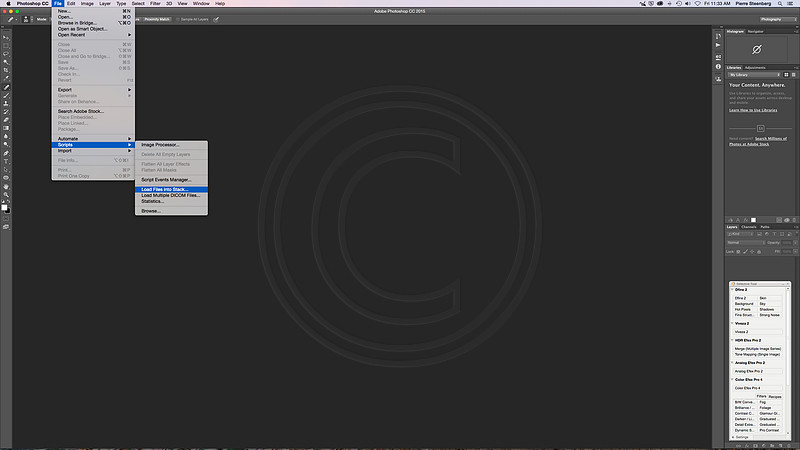
Pin sharp, front to back; Part III hope you have your images ready to focus stack. For this exercise I just shot a few images of a camera and lens on a board. I took five shots each focused at a different place. Ready? Open Photoshop (I used Photoshop CC 2015). Do the following; File > Scripts > Load files into Stack:
Now the following dialogue box shows up:
Click on browse and select your images. It is crucial that you check the first box (Attempt to automatically Align Source Images). Your camera may have shifted just a bit during focus or between shots. This feature fixes that problem. Click OK. The following box shows up:
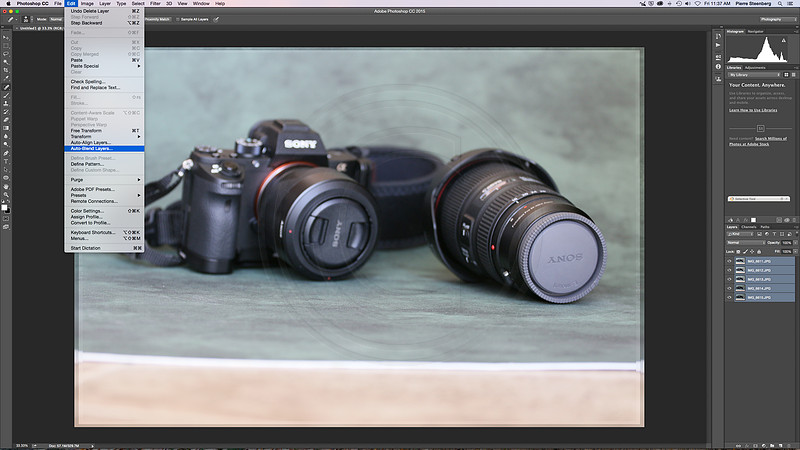
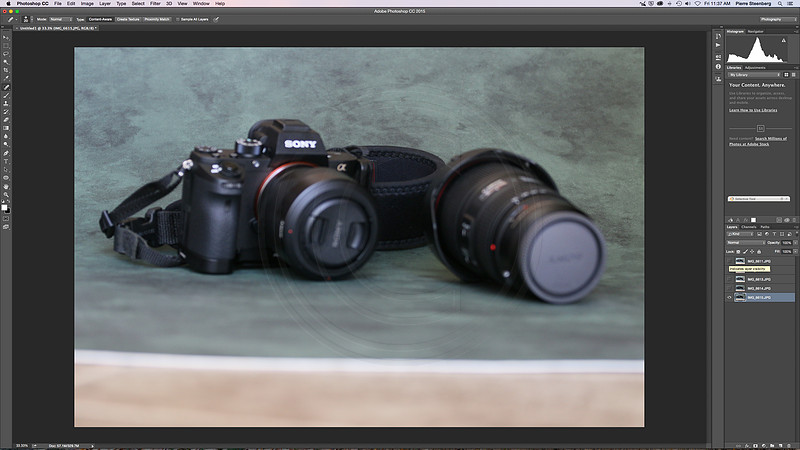
Choose the "Stack Images" option and click OK. Here is what you get. If you look to the right you will see the images loaded as a stack. If you look at the edges of the image you will also see different layers and how Photoshop aligned them. Either way, don't bother with anything now. Click on Edit > Auto-Blend Layers ...
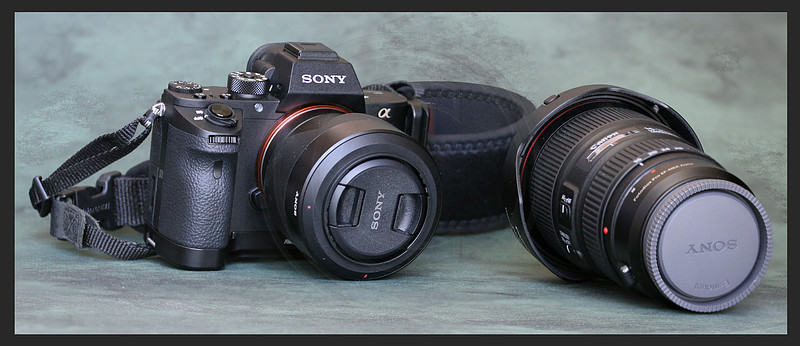
Photoshop will now does its magic. Once done, you will see the following:
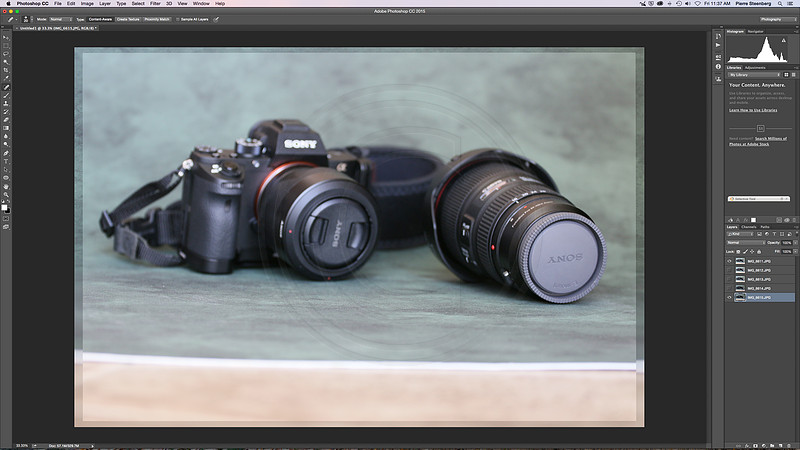
So you may say; "what is the big deal?" Let me show you the first shot and the last shot and you will see how amazing this really is. Just look at these two shots:
Comments
No comments posted.
Loading...
|
Subscribe
RSS
Archive
January
February
March
April
May
June
July
August
September
October
November
December
|