Remember Panoramas

October 30, 2016  •  Leave a Comment

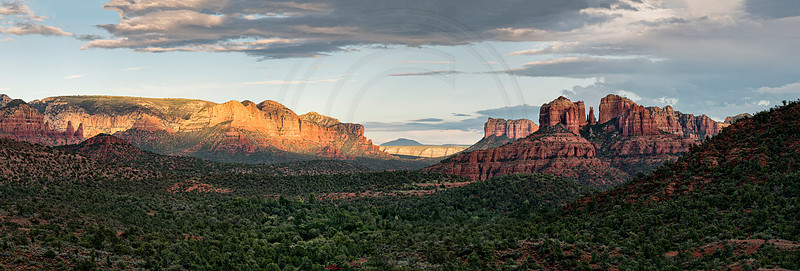
I have written about panoramic photography in a previous blog. I would like to remember this kind of photography today. Let's start with a recent image:

This place just called for a panoramic image. The light on the left mountains were nice and warm. Cathedral Rock is on the right. This image is just asking to be printed very large. To do so requires lots of resolution which this image has. Here are some tips to get great panoramas:

  • Find the right scene that is well suited for a pano

  • Make sure your tripod is level

  • Shoot vertically

  • Overlap at least by 1/3 to allow your stitching software to the best possible job

  • Shoot in manual so that your settings do not change

  • In post processing, make sure your white balance is the same for each image (check tint too)

Photoshop has recently introduced a new feature use content aware fill to fill in the gaps that usually result in cropping with panoramic images (thereby loosing resolution). Try some panos and print them large.


Comments

No comments posted.
Loading...
Subscribe
RSS
Archive
January February March April (3) May (5) June (4) July (5) August (4) September (2) October November December
January (4) February (4) March (5) April (3) May (4) June (2) July August September October November December
January February March April May June July August September October November December