- Portfolio ▼
- | Blog
- | Affiliate discounts
- | Guestbook
- | Info
- | Contact
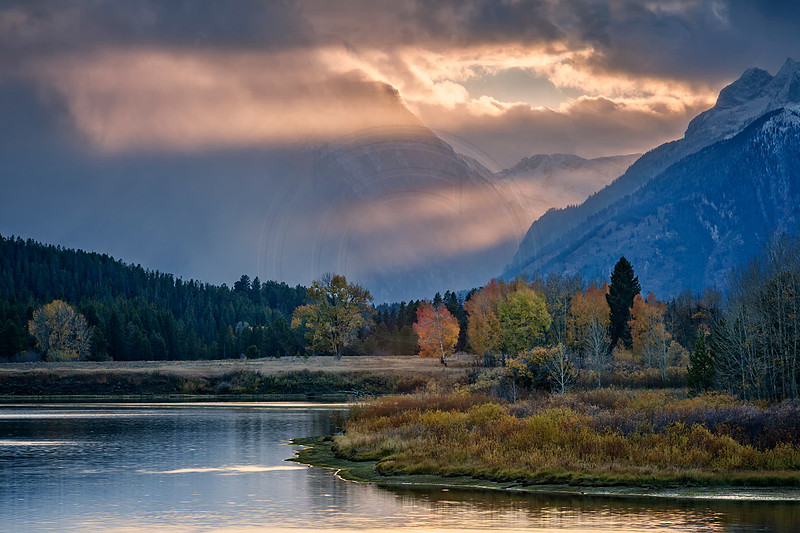
Luminosity MasksI must admit that I am more of a photographer than an image editor. I come from shooting slide film. Nothing could be corrected or fixed after the development of the film. Many people process images using luminosity masks today. Luminosity masks are masks made by brightness not color. The masks are already feathered. So if you want to just impact the brightest parts of an image you simply select the brightest mask and do what you want to do. What you did will only impact the brightest parts leaving other brightnesses untouched. I have wanted to learn using luminosity masks for some time now. I looked at Tony Kuyper's luminosity masks. His masks are wonderful and very well priced. Yet, I never took the plunge because one look at his action pallet had me petrified. I was not in the mood to get another Ph.D. to learn how to use this pallet nor did I have the time to devote to learning how to use this system. I understand now that it really is a bit simpler than it looks. One day I stumbled upon Jimmy McIntyre's free easy panel. I like free! I like easy! I downloaded it and watched a short tutorial. Wow! What have I been missing all this time. After using this panel now for a month or so I am no longer intimidated by the other luminosity masks out there. By the way, Jimmy has a more advanced panel for sale if that interests you and of course Tony's panel is one of the best. So what are luminosity masks used for? Let's look at this image below:
You can download the free panel here: http://www.throughstrangelenses.com/easy-panel-download-for-photoshop/ I have really enjoyed editing images using this panel and it makes many tasks easy. Give it a try. Comments
No comments posted.
Loading...
|
Subscribe
RSS
Archive
January
February
March
April
May
June
July
August
September
October
November
December
|